Is this a subscription service?
No. Flow is a one-time purchase. You pay once, we set it up on your own cloud, and it's yours. The only ongoing costs are what Convex, Vercel, Cloudinary and resend charge you directly - all have generous free tiers.
Compare no-subscription note appsHow much does it cost?
US$500 for a one-time setup. That covers customizing your logo and branding, deploying Flow on your own domain, and configuring the full stack on your accounts ready to use. No subscription, no recurring fees from us. Anything beyond this baseline, such as additional features or deeper customization, is scoped and quoted separately, so you only ever pay for the work you ask for.
What does self-hosted actually mean?
It means Flow runs entirely on accounts that belong to you. You own the source code outright - it's yours to keep and change. The rest are services you sign up for in your own name: the app is hosted on your Vercel account, your data lives in your own Convex database, file uploads sit in your
Cloudinary account, and reminder emails go out through your Resend account. We deploy everything onto those accounts, hand it over, and have no access to any of it afterwards. You pay those providers directly, and each has a free tier that covers typical personal use.
Can I try it before committing?
Yes - that's exactly what this demo is for. Sign up, explore the full app, and only reach out when you're ready. There's no time limit on the demo.
Does Flow have AI features?
Not built in - intentionally. Flow does not ship with AI baked in, which means no AI tax, no data sent to a model you didn't choose, and no feature you pay for but never use. Instead, every account gets an MCP connector. Paste the URL into ChatGPT, Claude (including Claude Code), Grok, Perplexity, Cursor, or any tool that supports MCP, and your AI can read, create, and update your boards, tasks, notes, notebooks, and captures directly. It can never delete anything through the connector.
How to set up the MCP connectorIs my data safe on the demo?
The demo runs on our shared infrastructure and is meant to help you try Flow, get a feel for the product, and decide whether you want your own deployment. So please, no naked photos, no incriminating evidence, and nothing you would be sad to lose. We may reset or shut down the demo at any time, so treat anything you create here as temporary. For real use, Flow should be deployed on your own Vercel, Convex,
Cloudinary, and Resend accounts, where the infrastructure is controlled by you.
Can I upload videos?
Not as direct file uploads - we do not store video files, because video eats up storage, bandwidth, and compute fast, and Flow is built to be a note-taking app, not a video host. But you can still put a video inside a note: the editor has an Embed HTML button, so you can paste the embed code from YouTube, Vimeo, or any other popular video platform and the player shows up right on the note canvas. For most cases, simply hosting the video where it belongs - YouTube, Vimeo, Dropbox, or Google Drive - and either embedding it or dropping in a link keeps your Flow lean and your costs low.
Can I insert voice notes?
No. Flow stores searchable text rather than audio files. If you prefer speaking, Wispr Flow can dictate clean text into Flow on desktop and mobile. This avoids keeping recordings that need extra storage and transcription processing. If you need true voice notes inside Flow, contact us about a custom deployment, but it will cost more to run.
Read the Wispr Flow reviewHow can I back up my data?
Go to Settings > Your data and choose your format: JSON (a zip file you can import back into any Flow deployment), Excel (.xlsx with one sheet per data type), or CSV (a zip of three spreadsheet files). If you want to retain your note formatting, export in JSON - Excel and CSV convert note content to plain text. Everything is included: notes, tasks, captures, notebooks, boards, and tags. Uploaded media files (images and attachments) are not exported.
Learn how to import notes into FlowI am not technical. Which export format should I use?
The simplest option is Excel or CSV. Open the downloaded file in any spreadsheet app - Excel, Google Sheets, or Numbers - and your notes, tasks, and captures are right there in readable columns, no technical knowledge needed. If you want to retain your note formatting (headings, bold, lists, and so on), use JSON instead - it preserves everything and can be imported back into Flow. If you already have a JSON export and want to read it, drop the file into any AI chatbot and ask it to summarize your notes. One honest heads-up: we cannot migrate your content into Notion, Evernote, or any other app automatically, so do not expect a one-click move to a different platform.
How private are my notes in my own deployment?
In your own deployment, Flow runs on cloud accounts that belong to you: your Vercel project, your Convex database, your
Cloudinary account for uploads, and your Resend account for email. We set it up and hand it over, but we do not retain access afterwards. The admin dashboard is for user management and usage overview; it is not designed for admins to browse private note content. Flow is not end-to-end encrypted by default, so anyone you give direct access to your database backend or Cloudinary media account could technically access your users' data. In normal use, though, your users' data stays inside infrastructure you own and control.
What's included in the customization?
We set up your branding (logo, colors, domain), configure the full stack on your accounts, and hand it over ready to use. No code knowledge needed on your end.
The stack seems heavy. Why so many tools?
Each one does a single job, and they are all industry-standard services that professional developers rely on every day. GitHub holds your code, Vercel runs the app, Convex is your database, Cloudinary stores your uploads, and Resend sends your emails. Because these are mature, well-funded platforms, they are highly secure and properly maintained, so your data sits on enterprise-grade infrastructure rather than something we cobbled together ourselves. The other reason we chose this exact line-up is cost: every one of them has a genuinely generous free tier. So beyond the one-time deployment fee you pay us, you can run Flow for free for typical personal use, and you only start paying the providers directly once your usage grows, for example if you add a lot of users or store a large amount of data. The only other cost you might incur is a domain, and only if you do not already have one you want to use. Domains are cheap and easy to buy, from as low as around $2 a year on platforms like Namecheap.
Why this stack, tool by toolWhy not Supabase, and can we switch to it?
Convex is our default because Flow is a TypeScript app built around live notes and task updates. Convex makes those reactive queries and transactional mutations simple, and its free tier does not have Supabase's documented inactivity pause. Supabase is a strong choice when standard Postgres, SQL, row level security, or broader database tooling matters more. We can migrate Flow to it, but that is a backend rewrite, not a settings switch.
Compare Convex and SupabaseCan I modify the code after buying?
Yes. You get the full source code. Change anything you want. It's yours. Just note that once you modify the code yourself, we're not responsible for any data loss or disruption to the app's functionality that results from those changes.
How long does setup take?
Depending on your requirements, most deployments take a minimum of 3 days once we have access to your accounts and agree on the branding.
What if something breaks after handover?
Get in touch. We're happy to help. Support terms depend on the arrangement we agree on upfront.
Does it work for solo users, not just teams?
Yes - Flow works just as well for one person as it does for a team. The Kanban, notes, and capture features are all designed for personal use too.
See the personal kanban methodCan I manage my own users?
Yes. Every deployment includes an admin dashboard. You invite people by name and email, they set their own password through a link, and you assign each one a user or admin role. You can change roles or remove access at any time. It's all yours to manage, with no involvement from us.
What can I see in the analytics dashboard?
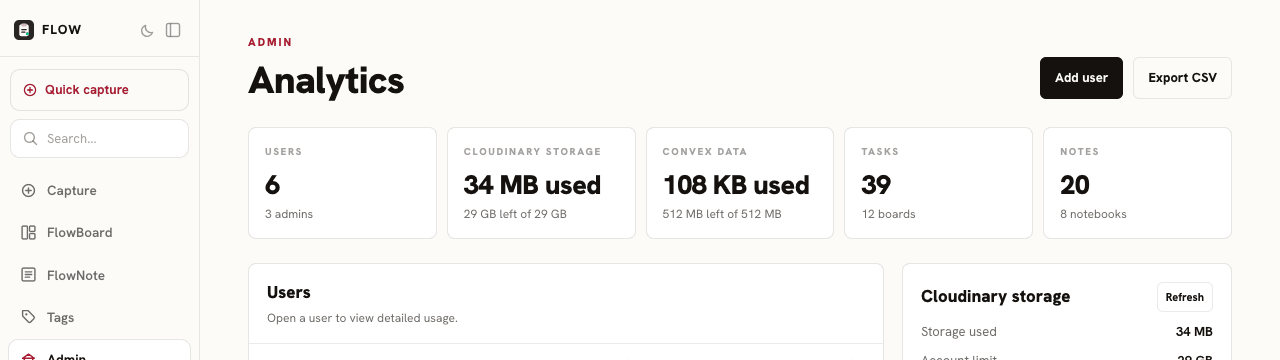
At a glance: total users, tasks, notes, boards, and notebooks, plus how much database storage and media your deployment is using. It's a simple overview of activity across your workspace, alongside the user management tools.
Why can't I rename the columns or add more to the board?
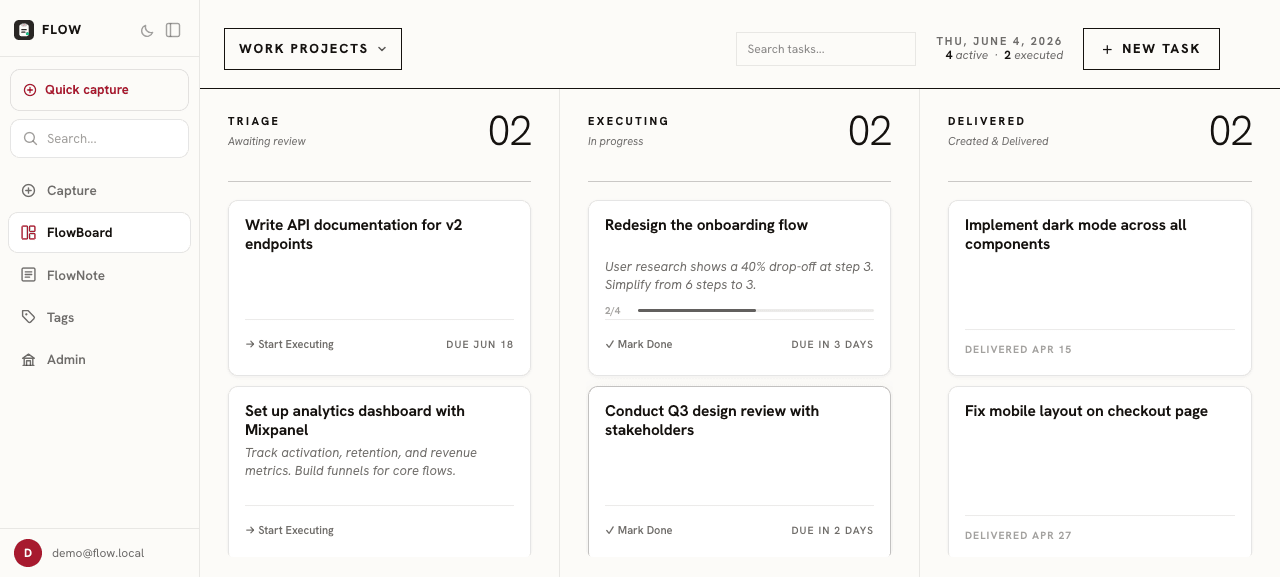
That's by design. FlowBoard is built around three fixed columns - Triage, Executing, and Delivered - because we believe most boards drift into clutter once you can add endless lists. Three stages keep the focus on what's next, what's in motion, and what's finished, with nowhere for work to quietly pile up. It's an opinionated choice, but it's a core part of how Flow keeps you moving. If a custom column setup is essential for your workflow, get in touch and we can look at it for your own deployment.
Why Flow uses three columnsDo you have collaboration features right now?
Yes - you can share any note publicly with a link, and optionally allow anyone with that link to edit it directly, no Flow account required. Changes save automatically in real time. To enable it, open a note, click the share icon, turn on "Make this note public", then check "Allow public editing". A word of caution: the link is public. While it is a long, hard-to-guess URL, anyone who has it can edit your note. Avoid sharing notes with sensitive or important information through this feature, or turn public editing off once collaboration is done.
Compare note sharing and collaborationDo you have version history?
Yes. FlowNote saves up to 10 versions per note automatically - captured whenever you switch notes or every 10 minutes while actively editing. To browse and restore, open any note, click the three-dots menu in the top right, and select Version history. You can preview any saved version and restore it with one click. The current state is saved before restoring, so you can always get back to it. The 10-version cap keeps storage lean on the hosted demo. If you deploy Flow on your own infrastructure, you can increase that cap in the source code as part of the standard customization.
Why isn't there a mobile or desktop app?
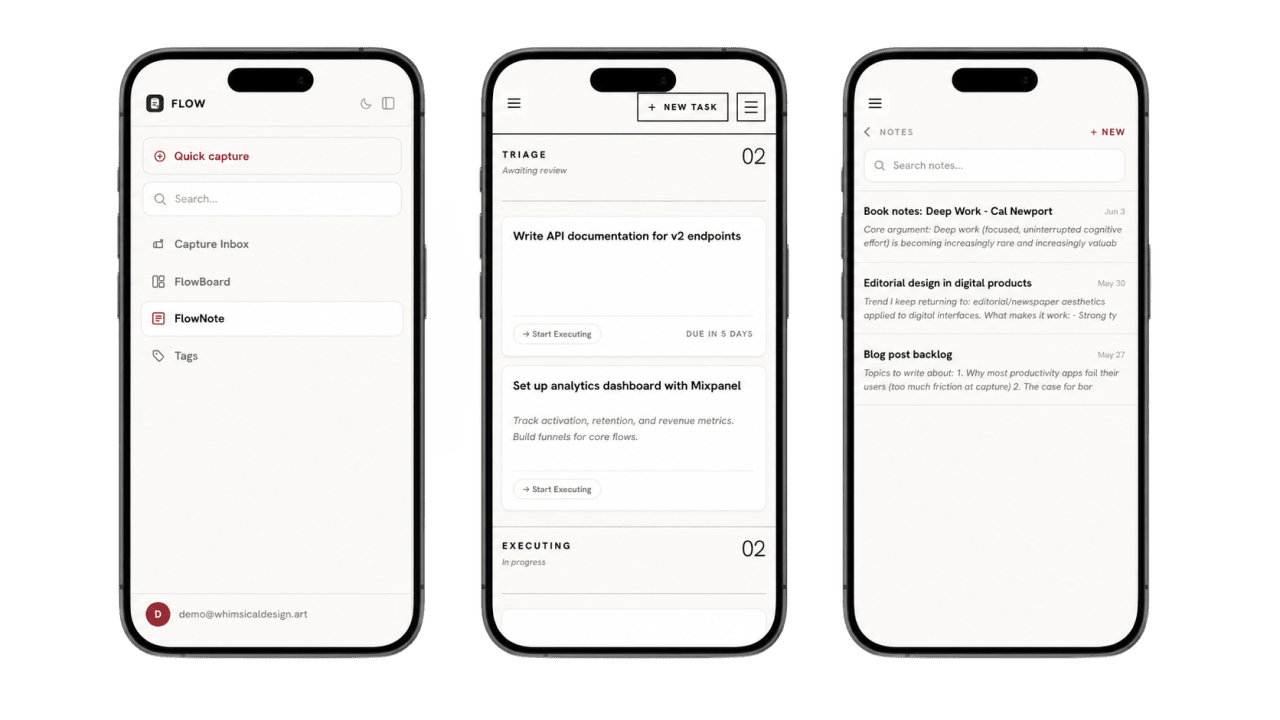
Flow is a web app on purpose. It runs on any device with a browser and is built to be mobile friendly, so you get most of what a native app offers with nothing to install. A native app would mean separate iOS, Android, and desktop codebases, ongoing maintenance, and app store gatekeeping (Apple alone is 99 USD a year plus review, and the stores take 15 to 30 percent of sales). With broadband and 5G everywhere in 2026, the offline edge of native apps barely matters, so for a lightweight self-hosted tool it isn't worth the weight. To make it feel app-like, just add Flow to your home screen from the browser.
Read the cross-platform note app guideWhy can't I edit my quick captures?
Quick captures are deliberately raw. The point is to get the thought down fast without stopping to polish it. If a capture needs editing, that means it has grown into something worth keeping. Move it to FlowNote or FlowBoard and refine it there. The inbox is a holding place, not a workspace.